

GnuCash Fundamentals
GnuCash Fundanentals is a beginner-friendly bookkeeping course that transforms the way small business owners manage their money. This step-by-step GnuCash system shows you exactly how to set up your accounts, record daily activity, track receipts, reconcile your bank, and generate clear Profit & Loss reports — all without overwhelm, or guesswork.

Start your bookkeeping journey with clarity and confidence. Most small business owners don’t need complicated accounting — they need a simple, reliable workflow that keeps their books clean, accurate, and stress‑free. That’s exactly what this system delivers.
You get Stress‑Free Bookkeeping. If you’ve ever felt overwhelmed by bookkeeping, confused by spreadsheets, or unsure how to track your business finances the right way, you’re exactly who this course was created for.
Our GnuCash Cash Accounting Workflow System is better than spreadsheets and Built for Real‑World Business Clarity.
Everything is taught in a simple, supportive way that removes the guesswork and helps you build a system you can trust. You get the essential skills, simple workflows, and step‑by‑step guidance you need to set up your books correctly and manage your daily finances with ease — so that you can build a strong foundation for growth and make informed decisions with peace of mind.
GnuCash Is Designed for Real Cash‑Basis Businesses
Spreadsheets track numbers. This workflow tracks your business. Every step is built around how money actually moves in and out of your accounts — no accounting degree required.
No Formulas to Break, No Templates to Maintain
Spreadsheets depend on your skill level. One wrong edit can throw everything off. This system gives you a pre‑built, structured workflow that stays accurate no matter what.
Clear, Repeatable Steps You Can Trust
Instead of reinventing your bookkeeping every month, you follow a simple, guided rhythm:
Categorize
Reconcile
Review
It’s the same every time — predictable, calming, and confidence‑building.
Built‑In Error Prevention
Spreadsheets can hide mistakes. This workflow is designed to catch errors early, keep your categories clean, and ensure your totals always make sense.
Real Reports Without Manual Math
No more adding, totaling, or updating formulas. Your workflow produces:
Monthly summaries
Income vs. expense clarity
Tax‑ready totals
Clean records for grants, lenders, or accountants
Everything is organized for you.
Perfect for Makers, Solopreneurs & Nonprofits
This system was created for:
Handmade sellers
Service providers
Digital product creators
Small nonprofits
Purpose‑driven entrepreneurs
If you want simple, honest bookkeeping that doesn’t eat your time, this is it.
Confidence Without Complexity
You don’t need expensive software. You don’t need to become a bookkeeper. You just need a clear, nurturing workflow that shows you exactly what to do and when to do it
GnuCash Basics is perfect for cash‑based businesses or anyone who simply wants to record what comes in, what goes out, where customers pay immediately — no billing, no invoicing, no chasing payments, such as:
1. Retail & Micro‑Shops With Immediate Payment
Perfect for Artisans, makers and creatives
- Craft fair vendors
- Farmers market sellers
- Candle /soap makers
- Jewelry makers
- Boutique sellers
- Pop‑up shop owners
Why no invoicing: Every sale is paid at checkout; no customer accounts.
2. Point‑of‑Sale Service Providers
These businesses get paid on the spot and rarely (if ever) bill clients later.
- Hair stylists & barbers
- Nail techs
- Massage therapists
- Personal trainers
- House cleaners paid per visit
- Pet groomers
- Lawn care providers paid per job
- Car detailer’s
Why no invoicing: Customers pay immediately via cash, card, or app.
3. Food & Cottage‑Based Businesses
These businesses operate on simple cash flow and daily sales.
- Bakers
- Home‑based food sellers
- Meal prep businesses
- Food trucks
- Coffee carts
Why no invoicing: All sales are point‑of‑sale or prepaid.
4. Hobby‑to‑Business Creatives
These are the people who most appreciate simple bookkeeping.
- Etsy sellers (when using Etsy Payments)
- Digital product sellers
- Print‑on‑demand sellers
- Artists selling prints or originals
- Seamstresses selling finished goods
Why no invoicing: Platforms collect payment automatically.
5. Donation‑Based or Small Nonprofits
Small ministries or community groups that don’t bill anyone.
- Churches
- Community outreach groups
- Small charities
- Youth programs
Why no invoicing: They track donations, not customer billing.
6. Cash‑Only or Cash‑Mostly Local Services
These businesses often operate with simple, predictable cash flow.
- Babysitters
- Home organizers
- Dog walkers
- Tutors
- Yard sale resellers
- Mobile car wash services
Why no invoicing: Payment is immediate and informal.
You get a clear, beginner‑friendly path to setting up and managing your books with confidence — even if you’ve never used accounting software before.
1. Introduction to Cash Accounting
Students learn the basics of cash accounting — how money flows in and out, what counts as income, what counts as expenses, and how cash-based bookkeeping works.
Why it matters: Cash accounting is the simplest and most beginner-friendly method. It removes confusion and gives students a calm, clear starting point, so you feel confident moving into GnuCash.
2. Installing GnuCash
Many beginners get stuck before they even start. This lesson removes that barrier. You will learn step-by-step installation, initial setup, and how to open the program correctly.
1. The GnuCash Business Account Template is a prebuilt chart of accounts (CoA) hierarchy designed specifically to help small businesses track their finances. Instead of forcing you to build a ledger from scratch, this baseline framework automatically populates your file with standard bookkeeping accounts.
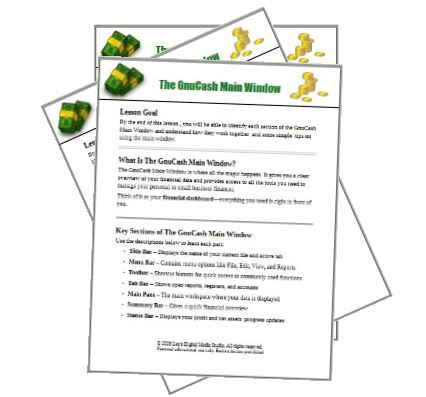
2. The GnuCash Main Window is where all the magic happens. It gives you a clear overview of your financial data and provides access to all the tools you need to manage your personal or small business finances.
Think of it as your financial dashboard—everything you need is right in front of you.
3. The Chart of Accounts (also called GnuCash Business Accounts) is a structured list of all the accounts you use to track your financial activity. It helps you organize transactions and generate accurate financial reports. Each account falls into one of five main categories, which form the foundation of your financial statements.
Learning Objectives:
By the end of this lesson, you will be able to:
• Identify the five main account types
• Understand what each category represents
• Recognize examples of accounts within each category
• Explain why sub-accounts are useful
4. Customizing the Business Accounts by the end of this lesson, you will be able to customize your GnuCash Chart of Accounts by adding, organizing, editing, and managing business accounts.
5. Setting up The Accounting Period – by the end of this lesson, you will understand how to set your accounting period in GnuCash and why it is important for accurate financial reporting and tax compliance.
1. Navigating the GnuCash Register Toolbar
The GnuCash Register Toolbar gives you one-click access to commonly used features. It is designed to make bookkeeping faster and easier.
By learning these tools, you can:
• Enter transactions more efficiently
• Avoid common mistakes
• Keep accurate financial records
2. Double Entry Accounting
Understanding the Double Entry Accounting concept will make learning GnuCash much easier as you continue building your bookkeeping skills. Double-entry accounting is the foundation of how every transaction is recorded in GnuCash. Once you understand this concept, many parts of GnuCash begin to make sense naturally.
3. Entering the Opening Balance
By the end of this lesson, you will understand:
• What an opening balance is
• Why it is important in bookkeeping
• How to correctly enter an opening balance in GnuCash
4. Entering a Split Expense Transaction
Split transactions allow you to break one transaction into smaller parts for better bookkeeping accuracy. By the end of this lesson, you will understand the difference between simple and split transactions and be able to enter both correctly in GnuCash.
5. Entering a Split Income Transaction
By the end of this lesson, you will be able to:
• Enter a cash sales transaction using a split transaction
• Record and track sales tax collected
• Enter a sales tax payment to the governing authority
6. Adding a Note Field to a Transaction
By the end of this lesson, you will know how to add and use the Note field in GnuCash to keep detailed and organized transaction records.
7. Linking Receipts and Documents
By the end of this lesson, you will be able to attach supporting documents (like receipts and invoices) to transactions in GnuCash for better record-keeping and organization.
8. How to Reconcile the Checking Account
By the end of this lesson, you will be able to reconcile your checking account in GnuCash and ensure your records match your bank statement.
9. The Profit & Loss Report
In this lesson you will learn how to generate the Profit and Loss (P&L) report primarily to calculate the overall health over your business and the taxable net income.
1. How to Record Personal Withdrawals
By the end of this lesson, you will understand how to properly record owner’s personal withdrawals (owner’s draws) in GnuCash .
2. How to Back Up GnuCash Files
You will learn how to:
• Safely back up your GnuCash file
• Choose the best places to store backups
• Restore your file if something goes wrong
What's Included:
Lesson Review Workflow Sheets
Stop guessing and start doing. The GnuCash Quick‑Start Tutorials isn’t just a playlist of videos—it’s a tactical, step‑by‑step learning system. Each lesson includes a Lesson Review Workflow Worksheet, giving students a clear recap of key concepts along with guided, actionable steps. These worksheets reinforce learning, build confidence, and help students successfully complete every task with ease.
- Pre-recorded Step-by-Step Video Tutorials, with easy-to-follow lessons
Closed Captioning for those who prefer to read along
- Instructor Interaction: The instructor looks forward to answer any questions you may have on the course content.
- 6 Months Access – You’ll have access to the course for up to six months after you enroll to learn at your own pace.
Prerequisites: There are no prerequisites to take this course.
Requirements: Hardware Requirements: A Computer with Internet Access