
GnuCash Continuing Learning Hub
The GnuCash Continuing Learning Center goes beyond the basics. It is your resource for expanding your knowledge of GnuCash, exploring additional features, and learning new ways to organize your business bookkeeping.
GnuCash step-by-step video tutorials and practical instruction, designed for business owners and aspiring bookkeepers who are ready to move beyond the basics and step into Gnucash robust financial accounting features. Continue learning at your own pace and choose the topics that best fit your business needs.
This module introduces two key GnuCash components that streamline invoicing and vendor billing workflows across customer and supplier accounts. Through two step‑by‑step lessons, you’ll learn how to build your Sales Tax Table and define Billing Terms so your financial documents are accurate, automated, and ready for real‑world use.
Tutorials
How To Set Up the Sales Tax Table
How To Set Up Billing Terms
This module guides learners through the practical setup and day-to-day use of GnuCash’s integrated Accounts Receivable (AR) system. The Accounts Receivable (AR) system offers a complete invoicing system to track customer payments and stay on top of who owes you money!
Tutorials
Introduction to Accounts Receivable
Entering Company Information
How To Create Customer Profiles
How To Create Simple Cash Invoices
How To Create Accounts Receivable Invoices
Applying Discounts
How To Generate Customer Reports
In this module, learners will dive into GnuCash’s integrated Accounts Payable (AP) system, which helps businesses manage money owed to vendors and suppliers. Stop simply “paying bills” and start managing your liabilities. You will learn how to build a comprehensive Vendor Registry and master the Accounts Payable workflow. By the end of this module, you’ll be able to record bills as they arrive—rather than when they are paid—giving you a much more accurate picture of your business’s real-time financial health.
Tutorials
Introduction to the GnuCash Accounts Payable System
How To Register Vendors
How To Create Vendor Bills
Customer Chargebacks
Processing an A/P Sales Tax Bill
Handle payroll with confidence and peace of mind. You’ll track payroll expenses, process liability payments, manage employee reimbursements, and view employee records — all in a way that keeps your books compliant and ready for tax season.
Tutorials
Tracking Payroll in GnuCash — Introduction
How To Track Payroll Transactions
How To Process Payroll Liability Payments
Employee Expense Vouchers
Viewing Employee Records
Learners discover how to automate the entering of recurring payment transaction data , reducing manual entry and ensuring accuracy in day-to-day bookkeeping.
Tutorials
Scheduling Transactions
Scheduled Transactions — Advanced Options
Canceling Scheduled Transactions
This Module offers a complete financial picture and includes crucial financial reports and Tax Mapping to automate the tracking of tax liabilities, simplify the remittance of taxes to government agencies, and prepare accurate financial reports for tax purposes.
Tutorials
The Cash Flow Report
The Balance Sheet
How To Map Accounts to Tax Forms and Schedules
Your Desktop practice site becomes your training ground,
your portfolio, and your confidence builder.
Your business deserves financial clarity — and you deserve a system that makes it simple, peaceful, and doable. The GnuCash Pro Workflow System guides you step by step from the basics into the deeper, more strategic bookkeeping skills that help your business grow with confidence.
You’ll start with the essential foundations, then move step‑by‑step into the deeper, more strategic workflows that keep a business running smoothly as it grows. This system is built for business owners and aspiring bookkeepers who are ready to move beyond the basics and unlock the full power of GnuCash’s robust accounting features.
You’ll master clean setup, daily financial management, and the advanced skills that separate “keeping up” from leading your books with confidence — including Accounts Receivable, Accounts Payable, invoicing, billing, vendor and customer workflows, credit card management, payroll, and advanced reporting.
Every lesson shows you not just how to use GnuCash, but why each workflow matters for accuracy, compliance, and long‑term financial clarity. You’ll work through real‑world scenarios that mirror the challenges of everyday bookkeeping, so you can apply what you learn immediately.
By the end, you’ll have a streamlined, error‑reducing bookkeeping system that supports growth, stability, and true financial peace of mind.
The GnuCash Pro Workflow System is designed for businesses that need structure, accuracy, and professional‑level financial management.
It’s ideal for:
• Growing businesses that need more than basic income‑and‑expense tracking
If your finances require more than “simple cash‑basis bookkeeping,” this System gives you the full systems and workflows to manage real‑world complexity with confidence.
• Service‑based and product‑based businesses with multiple moving parts
Whether you manage clients, customers, vendors, materials, or multiple payment methods, you need workflows that keep everything organized and accurate.
• Businesses that need invoicing, billing, A/R, A/P, and vendor management
If you’re sending invoices, paying bills, tracking who owes you, or managing who you owe — you need more than cash basics. This class teaches you the full GnuCash business toolkit.
• Businesses using credit cards, loans, or multiple bank accounts
You’ll learn how to manage these accounts cleanly and correctly.
• Nonprofits and mission‑driven organizations with structured financial needs
You need accountability, transparency, and workflows that support compliance — not just simple tracking.
• Aspiring or new bookkeepers who want real, professional‑level skills
You’ll learn how to manage the same workflows used in real bookkeeping jobs and client work.
Module 1: Orientation
This module helps beginners understand what bookkeeping actually is, where to begin, and how to install GnuCash correctly. It sets the stage with foundational concepts so students feel grounded before touching any accounts or transactions.
Module 2: Foundation
Build a clean, organized bookkeeping system from day one. Students learn how to set up their business accounts, tour the GnuCash interface, understand the chart of accounts, customize it safely, and establish their accounting period. This module ensures their file is structured properly before they start entering real data.
Module 3: Bookkeeping Essentials
In this Module Students will learn how to master the everyday tasks that keep their books accurate, core skills they’ll use every week. This module teaches students how to confidently manage their day‑to‑day bookkeeping in GnuCash. They’ll learn to enter accurate opening balances, record real‑world transactions (including split expenses), attach supporting documents, add helpful notes, and keep their accounts reconciled. By the end, they’ll feel equipped to maintain clean, audit‑ready books with ease., and generate profit and loss reports.
Module 4: Managing Credit Card Accounts
Confidently track business credit card activity from charges to reconciliation. Students learn how to set up a credit card account, enter charges and refunds, record payments, reconcile the account, and generate a credit card report. It removes the confusion around how credit cards flow through GnuCash.
Module 5: Invoicing & Billing
This module introduces two key GnuCash components that streamline invoicing and vendor billing workflows across customer and supplier accounts. Through two step‑by‑step lessons, you’ll learn how to build your Sales Tax Table and define Billing Terms so your financial documents are accurate, automated, and ready for real‑world use.
Module 6 — Accounts Receivable (A/R)
This module guides learners through the practical setup and day-to-day use of GnuCash’s integrated Accounts Receivable (AR) system. The Accounts Receivable (AR) system offers a complete invoicing system to track customer payments and stay on top of who owes you money!
Module 7 : Accounts Payable & Vendor Management
In this module, learners will dive into GnuCash’s integrated Accounts Payable (AP) system, which helps businesses manage money owed to vendors and suppliers. Stop simply “paying bills” and start managing your liabilities. You will learn how to build a comprehensive Vendor Registry and master the Accounts Payable workflow. By the end of this module, you’ll be able to record bills as they arrive—rather than when they are paid—giving you a much more accurate picture of your business’s real-time financial health.
Module 8: Payroll & Employee Management
In this module you will learn the exact steps to record payroll transactions, manage tax and benefit liabilities and handle and maintain employee expense vouchers and view simple employee records.
Module 9: Automate Data Entry
Learners discover how to automate the entering of recurring payment transaction data , reducing manual entry and ensuring accuracy in day-to-day bookkeeping.
Module 10: Reports & Tax Strategy
This Module offers a complete financial picture and includes crucial financial reports and Tax Mapping to automate the tracking of tax liabilities, simplify the remittance of taxes to government agencies, and prepare accurate financial reports for tax purposes.
Module 11: Bookkeeping Scenarios
Practical, real‑world examples that show students exactly how to handle common bookkeeping situations in GnuCash. This module gives entrepreneurs step‑by‑step demonstrations of tasks they’ll encounter throughout the year, helping them build confidence and consistency in their financial workflow.
You will learn:
How to Record Personal Withdrawals
Learn how to separate business and personal money the right way. Students discover how to record owner’s draws so their books stay clean, compliant, and easy to understand at tax time.
How to Track Petty Cash Transactions
Keep small cash purchases organized and accounted for. This lesson shows how to set up and manage a petty cash account, record small expenses, and keep the balance accurate.
How to Enter Depreciation
Understand and record the gradual expense of long‑term assets. Students learn how to set up depreciation accounts and enter monthly or annual depreciation entries so their financial reports reflect the true cost of equipment
How to Back Up GnuCash
Protect your bookkeeping file with simple, reliable backup routines. This scenario teaches students how to safely back up their GnuCash file, where to store backups, and how to restore a file if needed

This is where everything clicks.
You’ll learn how to handle:
Owner’s Draws (paying yourself correctly)
Petty Cash (tracking small purchases)
Depreciation (for equipment & assets)
Backups (protecting your financial data
By the end of this course:
You’llLearn How To:
Set up your accounts correctly
Properly record, reconcile, and manage credit card activity
Run a complete invoicing and billing system inside GnuCash
Manage Accounts Receivable like a pro
Organize and track all Accounts Payable and vendor obligations
Track payroll, contractors, and employee‑related expenses
Automate repetitive bookkeeping tasks
Generate advanced GnuCash reports for Tax Time
Apply real‑world bookkeeping scenarios
Build a simple, sustainable bookkeeping rhythm you can trust
This is bookkeeping made approachable, empowering, and aligned with the way you actually run your business. You don’t need to be “good with numbers.” You just need a clear path — and that’s exactly what this course gives you.
What’s Included :
Lesson Review Workflow Sheets
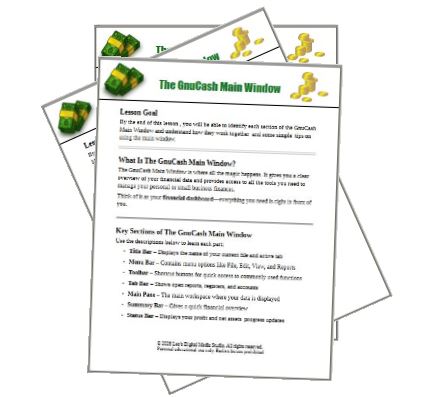
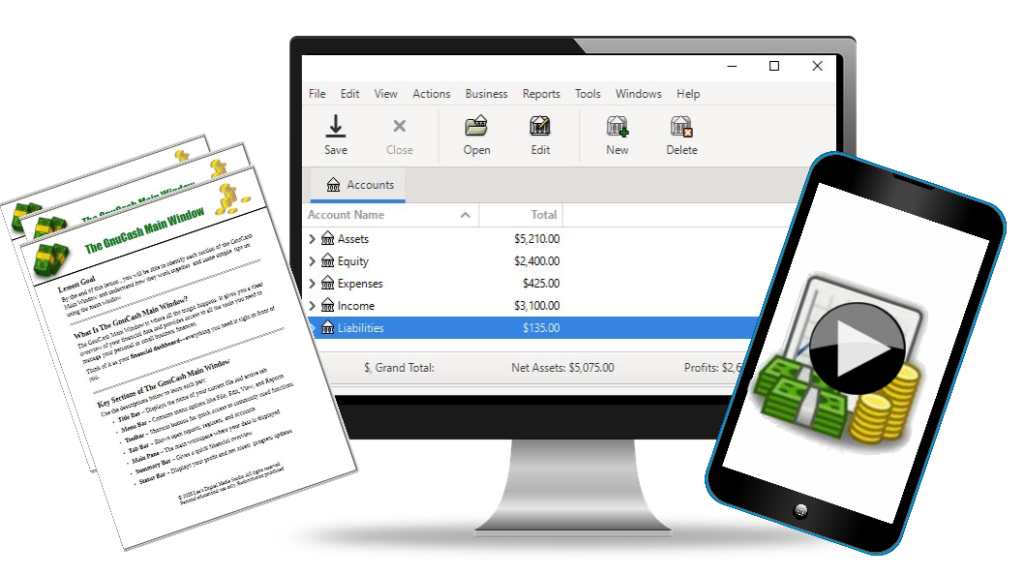
Stop guessing and start doing. The GnuCash Pro workflow system isn’t just a playlist of videos—it’s a tactical, step‑by‑step learning system. Each lesson includes a Lesson Review Workflow Worksheet and some useful tips, giving students a clear recap of key concepts along with guided, actionable steps. These worksheets reinforce learning, build confidence, and help students successfully complete every task with ease.
- Pre-recorded Step-by-Step Video Tutorials, with easy-to-follow lessons
Closed Captioning for those who prefer to read along
- Instructor Interaction: The instructor looks forward to answer any questions you may have on the course content.
- 6 Months Access – You’ll have access to the course for up to six months after you enroll to learn at your own pace.
- Prerequisites:There are no prerequisites to take this course.
Requirements: Hardware Requirements: A Computer with Internet Access
Only $397.00
Build a clean, organized bookkeeping system from day one with the two course bundle :
Whether you’re running a small business or launching your own bookkeeping service, this two‑course GnuCash bundle gives you the full foundation, advanced workflows, and real‑world confidence you need to manage finances with clarity — without expensive software or overwhelm.
Your Desktop practice site becomes your training ground,
your portfolio, and your confidence builder.
By the end the training , you’ll have:
A complete sample bookkeeping file
A full set of practice transactions
Real experience with every workflow
The confidence to take on your very first client!
How It Works :
We transform each lesson into a guided workflow with real‑world practice activities, helping you build confidence through repetition, clarity, and purpose.
Each section follows a simple rhythm:
Watch the tutorial — use the Lesson review workflow worksheets provided to reinforce learning.
Follow the workflow guide — go through the process in GnuCash.
Complete the practice activity — apply what you learned using a real‑world example.
Reflect and review — check your understanding and celebrate your progress
What Makes This Training Different...
No Overwhelm!
No guessing or “figure it out yourself” moments
Just a clear, nurturing, step‑by‑step system that shows you exactly how to use GnuCash to manage your financial data or real client books.
You’ll learn the why behind each step, not just the clicks.
This isn’t theory, this is hands‑on, real‑world practice that mirrors
what you would actually do as a bookkeeper...
GnuCash Tutorials along with professional Practice Activities brings bookkeeping to life for entrepreneurs, showing how everyday transactions translate into meaningful financial insight.
You’ll work inside a practice site modeled after — a service based business which can be adapted to various types of businesses.
Practice Activities transforms each lesson into a guided workflow with real‑world practice activities, helping you build confidence through repetition, clarity, and purpose.
As you work through the practice activities GnuCash will begin to feel natural. Each click, each lesson becomes a step toward clarity and empowerment in your business finances.
After everything is said and done You’ll have :
Created a clean practice file from scratch
A complete bookkeeping foundation
A full understanding of GnuCash
A repeatable monthly workflow system to follow
A clear path from beginner to capable to confident
Real workflows without risking your real data
This Training Is For :
Anyone who wants a clean, organized bookkeeping system from day one
Anyone who wants to offer bookkeeping as a paid service using Free GnuCash accounting software.
Yes, a bookkeeping business is an excellent business to start because it offers exceptionally low startup costs, high profit margins, and consistent recurring revenue. Every registered business is legally required to track its finances, ensuring a constant demand for bookkeeping services regardless of economic conditions.
What's Included :
- Pre-recorded Step-by-Step Video Tutorials, with easy-to-follow lessons
Closed Captioning for those who prefer to read along
- Worksheets designed to reduce overwhelm and reinforce what you learn with guided worksheets that walk you through the steps
Practice Activties hands‑on, real‑world practice that mirrors what you would do if you had actual clients.
- 6 Months Access – You’ll have access to the course for up to 6 months after you enroll to learn at your own pace.
Instructor Interaction: The instructor looks forward to answer any questions you may have on the course content.
Prerequisites: There are no prerequisites to take this course.
Requirements: Hardware Requirements: A Computer with Internet Access
Let’s Build Your Bookkeeping Future Together .
You get everything you need to begin doing your own bookkeeping or start a bookkeeping service.
You don’t need to be an accountant.
You don’t need years of experience.
You just need a clear, simple system — and someone to guide you.
A step‑by‑step, real‑world bookkeeping system for anyone ready for:
Simple bookkeeping system
A clear path to confidence
A way to manage your own business books
Or a way to start a bookkeeping service without overwhelm