In this tutorial I will show you how to record the sales tax you pay to the government in GnuCash.
Category: sub-articles

What Type of Business Should I Start?
Deciding what type of business to start involves considering several factors, including your interests, skills, market demand, and the resources available to you. Here are some steps to help you determine the best business for you:
1. Assess Your Interests and Skills
- Passions: What are you passionate about? Consider businesses that align with your interests, as you’ll be more motivated and engaged.
- Skills and Expertise: Evaluate your skills and experience. A business that leverages your strengths is more likely to succeed.
2. Identify Market Needs and Opportunities
- Market Research: Investigate market demand and trends. Look for gaps in the market where you can provide unique value.
- Customer Pain Points: Identify problems that your potential customers face and think about how your business can solve them.
3. Evaluate Business Models
- Service-Based Businesses: These can include consulting, freelancing, coaching, and professional services. They’re often easier to start with lower upfront costs.
- Product-Based Businesses: Selling physical or digital products, either through e-commerce, retail, or online marketplaces like Etsy or Amazon.
- Content Creation: Blogging, podcasting, or creating a YouTube channel. These businesses can generate revenue through advertising, sponsorships, and affiliate marketing.
- Tech Startups: Developing software, apps, or tech solutions. These require more technical expertise and potentially higher initial investment.
4. Consider Resources and Investment
- Startup Costs: Determine how much capital you need to start your business. Some businesses require minimal investment, while others may need substantial funding.
- Time Commitment: Consider how much time you can dedicate to your business. Some businesses may require full-time attention, while others can be managed part-time.
5. Test and Validate Your Idea
- Minimum Viable Product (MVP): Create a basic version of your product or service to test the market and gather feedback.
- Feedback and Iteration: Use customer feedback to refine and improve your offering before fully launching.
6. Long-Term Vision and Goals
- Scalability: Consider how easily your business can grow and scale over time.
- Impact: Think about the long-term impact you want your business to have on your customers and community.
Here are a few examples of popular Online and Offline business ideas to consider:
- E-commerce Store: Selling products online through your own website or platforms like Amazon and Etsy.
- Freelance Services: Offering skills such as writing, graphic design, web development, or social media management.
- Online Courses and Coaching: Sharing your expertise through online courses, workshops, or one-on-one coaching sessions.
- Subscription Box Service: Curating and selling subscription boxes in a niche market (e.g., beauty products, gourmet foods, fitness gear).
- Drop-shipping Business: Selling products without holding inventory by partnering with suppliers who ship directly to customers.
- Local Services: Starting a local business offering services like cleaning, landscaping, personal training, or pet care.
Choosing the right business type requires thoughtful consideration and planning. Reflect on your passions, skills, market opportunities, and resources to find the best fit for you.
Companies With a History of Hiring Felons:
Several well-known companies have been recognized for giving individuals with felony convictions a second chance by offering employment opportunities. Here are some companies that have a history of hiring felons:
1. Amazon
- Known for hiring in their warehouse and fulfillment centers, Amazon offers opportunities for individuals with a criminal background, particularly in entry-level roles.
2. Walmart
- Walmart hires individuals with felonies for positions such as stocking, cashiers, and warehouse work. They also offer second chances through the Walmart Restorative Justice Program.
3. Goodwill Industries
- Goodwill is famous for providing job training and employment for people with criminal backgrounds in various roles within their retail stores and distribution centers.
4. UPS (United Parcel Service)
- UPS is known to hire felons for package handler and warehouse positions, especially during peak seasons like the holidays.
5. Kroger
- Kroger and its family of grocery stores (such as Ralphs, Fry’s, and King Soopers) have hired individuals with felonies in positions like stock clerks, baggers, and warehouse workers.
6. The Salvation Army
- The Salvation Army operates thrift stores and provides rehabilitation programs, often employing people with felonies in roles like retail associate, sorting, and warehouse work.
7. AutoZone
- AutoZone has been reported to hire felons for positions such as customer service representatives, stocking, and delivery drivers.
8. Waste Management
- Waste Management hires for roles in truck driving, waste collection, and maintenance.
9. McDonald’s
- Many McDonald’s franchises are open to hiring felons, particularly in entry-level positions such as crew members and cooks.
10. Starbucks
- Starbucks offers positions in customer service and barista roles for those with a criminal record. They have a commitment to inclusivity and second-chance hiring.
11. Coca-Cola
- Coca-Cola has offered job opportunities in warehousing, production, and delivery services for individuals with felony convictions.
12. Hilton Hotels
- Hilton and some other hospitality companies offer jobs in housekeeping, maintenance, and food service to people with felonies.
13. Lowe’s Home Improvement
- Lowe’s is known to hire felons for various roles, including stock clerks, warehouse associates, and customer service.
14. Menards
- This home improvement chain hires felons for roles in retail sales, stocking, and warehouse operations.
15. Taco Bell
- Many Taco Bell franchises hire individuals with felonies for entry-level roles like food preparation and cashiers.
16. Tyson Foods
- Tyson Foods is known to hire felons in manufacturing, food processing, and distribution roles.
17. PetSmart
- PetSmart offers positions in pet care, stocking, and customer service that are open to individuals with felony backgrounds.
18. Target
- While Target runs background checks, they have hired felons for positions such as stocking, cashier, and warehouse work in some instances.
19. Subway
- Subway franchises hire individuals with felonies for sandwich artist and cashier roles.
These companies may have different policies based on location or type of felony, so it’s important to apply and explain your situation if given an opportunity.
Additionally, you have second-chance organizations and program like:
1.Honest Jobs ( https://www.honestjobs.com/)
2. Indeed’s Essentials to work program, who’s mission is to help all people get jobs that have barriers to getting a job ( https://www.indeed.com/esg/essentials-to-work ) are great resources for finding felon-friendly employers.
Job Options for Individuals with Felony Records
For individuals with a felony record, finding suitable jobs can be challenging, but there are industries and types of work that are more open to second-chance hiring. Here are some of the best job types and industries where men and women with felony convictions may find opportunities:
1. Skilled Trades
Many trades focus more on skills and training than on background checks. Pursuing vocational training or certifications can improve chances in these fields:
- Construction (electricians, plumbers, carpenters)
- HVAC technicians
- Welding
- Automotive repair
2. Manufacturing and Warehousing
- Assembly line work
- Forklift operator
- Packing and shipping
- Warehouse associate
3. Transportation and Delivery
Some transportation jobs, especially if they do not require customer interaction, may offer opportunities:
- Truck driving (after obtaining a Commercial Driver’s License or CDL)
- Delivery services (food delivery, packages)
- Courier services
4. Entrepreneurship
Starting a small business can bypass many of the traditional hiring hurdles:
- Freelancing (online or local services like graphic design, writing, tutoring)
- Home-based businesses (landscaping, cleaning services, handyperson work)
5. Food and Hospitality
Restaurants and other service-related industries often hire individuals with a criminal record:
- Line cook
- Dishwasher
- Catering
6. Technology and IT
For those who have a knack for technology or are willing to learn:
- Web development and coding
- IT support or technical help desk
- Data entry or remote work jobs
7. Self-Employment
If traditional employment is a challenge, self-employment or gig work might be a more accessible path:
- Handyman services
- Landscaping and gardening
- Pet care (dog walking, pet sitting)
8. Nonprofit and Ministry Work
Some nonprofits and faith-based organizations hire those with felonies and focus on rehabilitation:
- Community outreach positions
- Mentorship programs
9. Labor and Construction
Jobs in fields like painting, roofing, general labor, and demolition are often available for people with a felony.
10. Online Jobs
Remote work is a growing field and can offer flexibility:
- Customer service or support roles
- Virtual assistant work
- Content creation (writing, blogging, video production)
Organizations that promote second-chance hiring, such as Goodwill Industries or Homeboy Industries, may also offer job placement services.
Additionally, federal bonding programs and tax credits for employers who hire felons can make some businesses more inclined to offer opportunities.

How to Organize a Back To School Backpack Drive
Organizing a backpack drive for underprivileged children is a wonderful and impactful initiative. Here is a step-by-step guide to help you get started:
1. Define the Scope and Goals
- Identify the Need: Determine the target demographic and specific needs of the children you want to help. Partner with local schools, shelters, or community organizations to gather this information.
- Set Goals: Decide how many backpacks you aim to collect and distribute. Establish a timeline for your drive.
2. Plan the Logistics
- Create a Budget: Estimate the costs involved, including backpacks, school supplies, promotional materials, and any event-related expenses.
- Select a Date and Duration: Choose the start and end dates for your drive. Consider key times like the beginning of the school year or holiday seasons.
- Choose Collection Points: Identify convenient locations for donors to drop off backpacks and supplies. These can include schools, libraries, community centers, and local businesses.
3. Gather Supplies
- Make a List of Required Items: Standard items include backpacks, notebooks, pencils, pens, erasers, rulers, crayons, markers, folders, and calculators.
- Seek Donations: Approach businesses, community groups, and individuals for donations of supplies or funds. Consider creating an Amazon Wishlist for easy contributions.
4. Promote the Drive
- Create Promotional Materials: Design flyers, posters, and social media graphics. Include details on what is needed, where and how to donate, and the drive’s timeframe.
- Utilize Social Media: Use platforms like Facebook, Twitter, and Instagram to spread the word. Create a hashtag for your drive.
- Contact Local Media: Reach out to local newspapers, radio stations, and TV channels to cover your drive and encourage community participation.
5. Coordinate Volunteers
- Recruit Volunteers: Gather a team to help with collecting, sorting, and distributing the backpacks. Volunteers can also assist with promotion and logistics.
- Assign Roles: Clearly define the responsibilities of each volunteer, such as handling donations, managing collection sites, or organizing distribution events.
6. Collection and Organization
- Monitor Collection Sites: Regularly check and collect donations from drop-off points.
- Sort and Inventory: Organize the donated items, ensuring each backpack is filled with the necessary supplies. Create an inventory to track what you have and what is still needed.
7. Distribution
- Plan Distribution Events: Organize events to distribute the backpacks, coordinating with schools or community centers to reach the children in need.
- Ensure Accessibility: Make sure the distribution sites are accessible to the families you aim to help. Consider transportation options if necessary.
8. Follow Up and Thank Donors
- Send Thank-Yous: Acknowledge and thank all donors and volunteers. This can be done through personalized letters, emails, or social media shout-outs.
- Report Results: Share the outcomes of the drive, including the number of backpacks distributed and the impact on the community. Use photos and testimonials to highlight success stories.
9. Evaluate and Plan for the Future
- Gather Feedback: Collect feedback from donors, volunteers, and recipients to understand what worked well and what could be improved.
- Plan Future Drives: Use the insights gained to plan future backpack drives, potentially expanding your reach or improving logistics.
Additional Tips
- Partnerships: Collaborate with local businesses and larger corporations for sponsorships and bulk donations.
- Grants and Funding: Look for grants and funding opportunities from foundations and organizations that support educational and community initiatives.
- Marketing Tools: Utilize free marketing tools and platforms to maximize outreach with minimal costs.
By following these steps, you can effectively coordinate a backpack drive that makes a significant difference in the lives of underprivileged children in your community.

Popular Selling Etsy Products
The profitability of products on Etsy can vary based on trends, consumer preferences, and the uniqueness of your offerings. Keep in mind that success on Etsy often depends on finding a niche or creating unique, high-quality products. Here are some general categories and types of products that have been popular on Etsy:
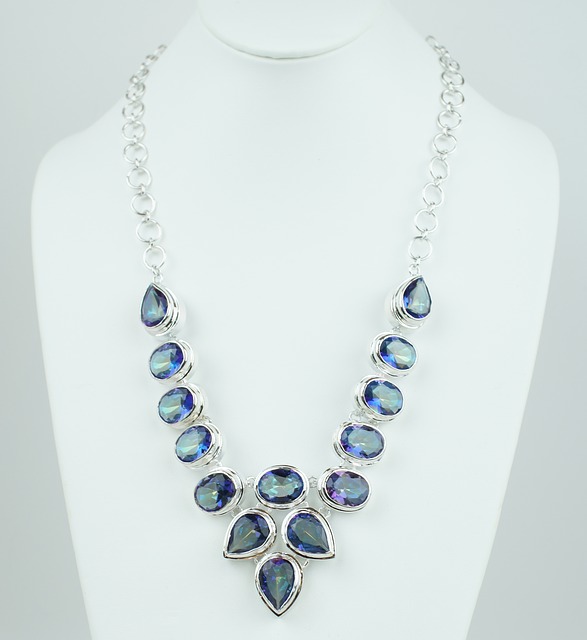
- Handmade Jewelry:
- Customized and personalized pieces tend to do well.
- Unique designs and high-quality materials can set your products apart.
- Printables:
- Digital downloads such as planners, wall art, and organizational tools.
- Personalized Items:
- Customized items like personalized mugs, T-shirts, and home decor.
- Monogrammed or custom-designed products can attract buyers.
- Home Decor:
- Handmade or vintage home decor items.
- Items like handmade candles, throw pillows, or unique wall art.
- Wedding and Party Supplies:
- Handmade wedding invitations, party favors, and decorations.
- Niche items for specific themes or styles.
- Craft Supplies:
- Unique and hard-to-find craft supplies.
- Materials for popular DIY projects.
- Vintage Items:
- Unique vintage finds and collectibles.
- Retro clothing, accessories, or home decor.
- Natural and Organic Products:
- Handmade skincare products, organic candles, and bath bombs.
- Increasing demand for eco-friendly and natural products.
- Pet Accessories:
- Handmade pet collars, toys, and accessories.
- Unique and personalized items for pets.
- Digital Art and Illustrations:
- High-quality digital art downloads.
- Unique illustrations and designs for various purposes.
Planners
Planners are popular and profitable, the popularity and profitability of planners can depend on current trends, target demographics, and unique features. Certain types of planners have been popular on Etsy and in the market in general. Keep in mind that trends can change, so it’s essential to stay updated.
Here are some popular and potentially profitable types of planners:
- Customizable Planners:
- Planners that allow buyers to personalize covers, layouts, and sections.
- Customization options for names, colors, or even additional pages.
- Productivity Planners:
- Planners designed to enhance productivity and time management.
- Goal-setting features, habit trackers, and priority lists.
- Minimalist Planners:
- Clean and simple designs with a minimalist aesthetic.
- Focus on functionality and a streamlined approach to planning.
- Fitness and Wellness Planners:
- Planners designed for tracking fitness goals, meal planning, and overall well-being.
- Sections for workouts, nutrition, and self-care.
- Financial Planners:
- Planners that help users manage their budgets, expenses, and financial goals.
- Trackers for savings, debt repayment, and financial milestones.
- Travel Planners:
- Planners specifically for organizing travel plans and itineraries.
- Sections for packing lists, travel budgets, and sightseeing plans.
- Wedding Planners:
- Planners catering to engaged couples planning their weddings.
- Sections for budgeting, guest lists, vendor contacts, and timelines.
- Homeschool Planners:
- Planners designed for homeschooling families.
- Sections for lesson plans, attendance tracking, and educational goals.
- Bullet Journals and Dot Grid Planners:
- Customizable planners with dot grids for creative journaling.
- Popular among those who enjoy artistic and detailed planning.
- Seasonal or Themed Planners:
- Planners with designs specific to seasons, holidays, or special occasions.
- Limited edition or holiday-themed planners can attract seasonal buyers.
When creating planners for sale, consider the quality of materials, the layout’s user-friendliness, and any unique features that set your planners apart from others on the market. Additionally, pay attention to customer reviews and feedback to continuously improve your products. Keep in mind that staying abreast of current trends and incorporating them into your designs can contribute to the profitability of your planner products.
Financial planners are most popular
Financial planners come in various types, and their popularity often depends on the needs and preferences of the users. The popularity of a financial planner can also be influenced by trends in personal finance and productivity. Here are some types of financial planners that have been popular:
- Goal-Oriented Financial Planners:
- Planners that help users set and track financial goals, such as saving for a vacation, buying a home, or retirement.
- Sections for budgeting, expense tracking, and savings goals.
- Budgeting Planners:
- Planners focused on day-to-day budgeting, expense management, and income tracking.
- Categories for fixed and variable expenses, as well as savings allocations.
- Debt Repayment Planners:
- Planners designed to help users pay off debts systematically.
- Strategies for debt snowball or debt avalanche methods.
- Investment and Retirement Planners:
- Planners that assist with investment tracking, retirement planning, and portfolio management.
- Tools for calculating retirement savings goals and investment performance.
- Expense Tracker Apps:
- Digital planners or apps that allow users to track expenses, set budgets, and analyze spending patterns.
- Integration with bank accounts and credit cards for automatic expense tracking.
- Cash Envelope Systems:
- Physical or digital systems that simulate the cash envelope method for budgeting.
- Allocated envelopes for different spending categories.
- Personal Finance Journals:
- Journals that combine financial planning with journaling.
- Space for reflection on financial habits and goals.
- Financial Fitness Planners:
- Planners that focus on overall financial well-being, including budgeting, saving, investing, and improving financial habits.
- Sections for tracking net worth and financial milestones.
- Business and Entrepreneurial Planners:
- Planners designed for small business owners and entrepreneurs.
- Sections for business expenses, income tracking, and goal setting.
- Family Finance Planners:
- Planners that cater to families, addressing joint budgeting, savings for children’s education, and family financial goals.
Keep in mind that trends in personal finance and planning may evolve, and new types of financial planners may gain popularity. It’s crucial to stay informed about current financial management practices and incorporate relevant features into your financial planner products. Additionally, user-friendly interfaces, clear goal-setting capabilities, and customization options can contribute to the popularity of financial planners.
Before deciding on a product, it’s essential to research and stay updated on current trends. Additionally, consider your own skills, interests, and resources to create a product that you can passionately market. Keep an eye on Etsy’s own resources and guides for sellers, as they provide valuable insights into what works best on the platform. Remember that customer service, high-quality photos, and effective SEO optimization are crucial for success on Etsy.
Template 3 Beauty







e-commerce template-02














LibreOffice An Alternative to Microsoft Office

LibreOffice is a powerful and free office suite, used by millions of people around the world. Its clean interface and feature-rich tools help you unleash your creativity and enhance your productivity. LibreOffice is compatible with a wide range of document formats such as Microsoft® Word (.doc, .docx), Excel (.xls, .xlsx), PowerPoint (.ppt, .pptx), and Publisher. You can open your Microsoft document in LibreOffice.
But LibreOffice goes much further with its native support for a modern and open standard, the Open Document Format (ODF). With LibreOffice, you have maximum control over your data and content – and you can export your work in many different formats including PDF. LibreOffice includes several applications that make it the most versatile Free and Open Source office suite on the market:
Writer (word processing)
The writer has all the features you need from a modern, full-featured word processing and desktop publishing tool. It’s simple enough for a quick memo, but powerful enough to create complete books with contents, diagrams, indexes, and more. You’re free to concentrate on your message, while the Writer makes it look great.
Calc (spreadsheets)
Calc is the free spreadsheet program you’ve always needed. Newcomers find it intuitive and easy to learn, while professional data miners and number crunchers appreciate the comprehensive range of advanced functions. Built-in wizards guide you through choosing and using a comprehensive range of advanced features. Or you can download templates from the LibreOffice template repository, for ready-made spreadsheet solutions.
Impress (presentations)
In Impress, creating and editing slides is very versatile thanks to different editing and view modes: Normal (for general editing), Outline (for organizing and outlining your text content), Notes (for viewing and editing the notes attached to a slide), Handout (for producing paper-based material), and Slide Sorter (for a thumbnail sheet view that lets you quickly locate and order your slides).
Draw (vector graphics and flowcharts),
Draw lets you produce anything from a quick sketch to a complex plan, and gives you the means to communicate with graphics and diagrams. With a maximum page size of 300cm by 300cm, Draw is an excellent package for producing technical drawings, brochures, posters, and many other documents. Draw lets you manipulate graphical objects, group them, crop them, use objects in 3D, and much more.
Base (databases)
The base is a full-featured desktop database front end, designed to meet the needs of a broad array of users. Base caters to power users and enterprise requirements, providing native-support drivers for some of the most widely employed multi-user database engines: MySQL/MariaDB, Adabas D, MS Access, and PostgreSQL. In addition, the built-in support for JDBC- and ODBC-standard drivers allows you to connect to virtually any other existing database engine as well.
Math (formula editing)
Math is LibreOffice’s formula editor and can be invoked in your text documents, spreadsheets, presentations, and drawings, enabling you to insert perfectly formatted mathematical and scientific formulas. Your formulas can include a wide range of elements, from fractions, terms with exponents and indices, integrals, and mathematical functions, to inequalities, systems of equations, and matrices.
You can start Math either as a stand-alone application directly from the LibreOffice Start Center or directly from within other LibreOffice applications such as Writer, Calc, Impress and Draw.
Charts
LibreOffice includes the ability to create and embed charts. Their style, color, and size can be customized in a broad variety of ways – pie charts, square and round columns, trend graphs, dots, 2D and 3D charts, and so much more.
Is selling your handmade goods online a hobby or business?
In making the distinction between a hobby or business activity, take into account all facts and circumstances with respect to the activity. A hobby activity is an activity not done for profit. This includes activities done mainly for sport, recreation, or pleasure. No one factor alone is decisive. You must generally consider these factors in determining whether an activity is a business engaged in making a profit:
- Whether you carry on the activity in a businesslike manner and maintain complete and accurate books and records.
- Whether you have personal motives in carrying on the activity.
- Whether the time and effort you put into the activity indicate you intend to make it profitable.
- Whether you depend on income from the activity for your livelihood.
- Whether your losses are due to circumstances beyond your control (or are normal in the startup phase of your type of business).
- Whether you or your advisors have the knowledge needed to carry on the activity as a successful business.
- Whether you were successful in making a profit in similar activities in the past.
- Whether the activity makes a profit in some years and how much profit it makes.
- Whether you can expect to make a future profit from the appreciation of the assets used in the activity.